
SEACOR Marine employees in Louisiana, Houston, and New York now have access to Secured Printing and scanning, through our new Konica Minolta c300 printers.
Highlighted features:
- Pickup documents from any printer at any of the following sites: Houston, Morgan City, Houma (HTC and Warehouse), and New York City.
- Scan to Email, OneDrive, and SharePoint.
- Pickup documents from the printer using your badge, or PIN.
- Print to a single secured print queue for all printers.
Step One: Login to the printer. Go to the printer and simply place your badge on the badge reader on the right side of the printer. Wait for the beep. If you don't your badge you can use your badge number, or the PIN you were given (users without a badge have been assigned an alternate PIN).

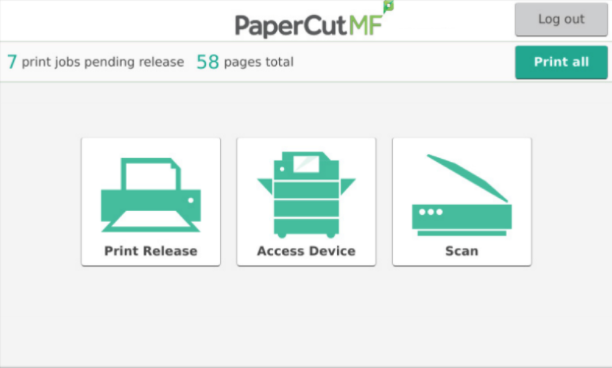
Step Two: Next, click "Scan", and you will be presented with options for delivery.
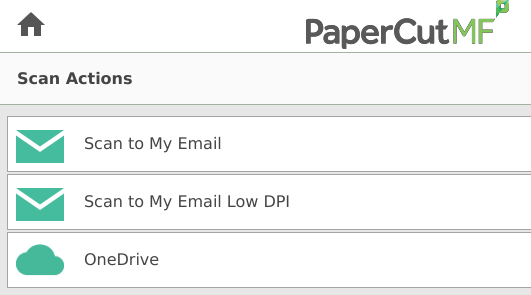
Step Three: Next, click "Scan to My Email", or "OneDrive".
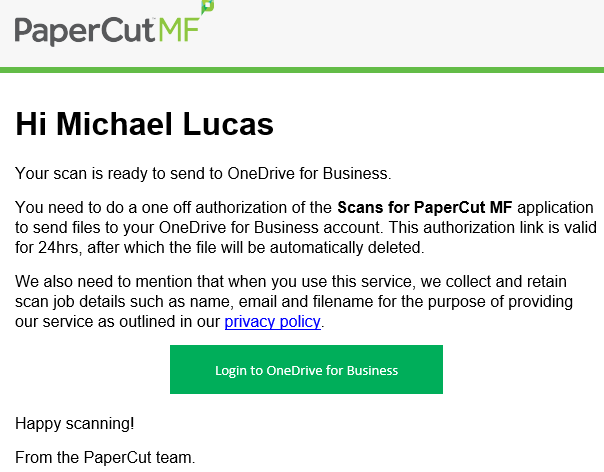
Note: Scanning to OneDrive will require a one-time authorization. You will receive an email from Papercut to authorize access to your OneDrive instance.
Step Four (For OneDrive): Look for an email similar to the one below. Next, click "Login to OneDrive for Business".
Comments
0 comments
Please sign in to leave a comment.