
When you install and use MS Outlook as your default email client you will need to synchronise your Outlook contacts to your Mobile device.
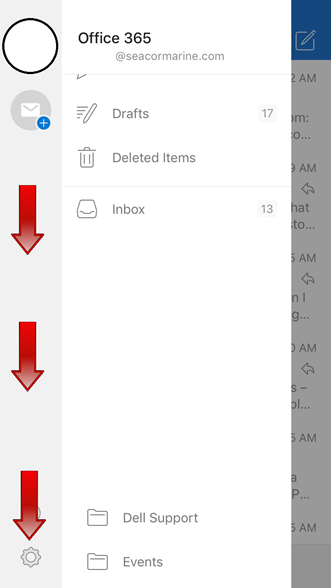
Step 1: Click on Inbox at the top of Outlook App

Step 2: Click on the settings gear at the bottom left
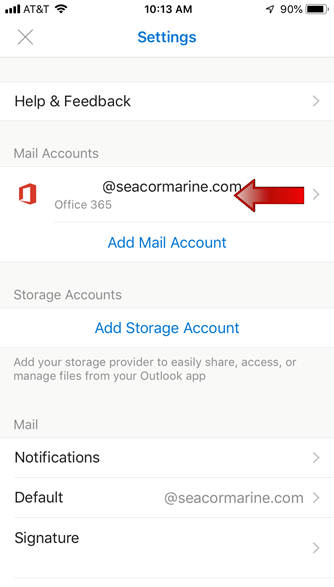
Step 3: Click on your Office 365 Mail Account
Step 4: Click on the button to Save Contacts
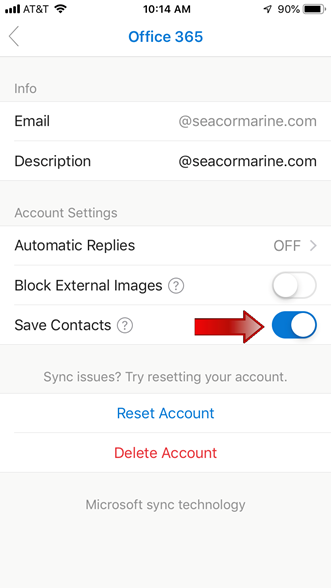
The synchronization of contacts to your iPhone can take up to 24 hours
Comments
0 comments
Please sign in to leave a comment.